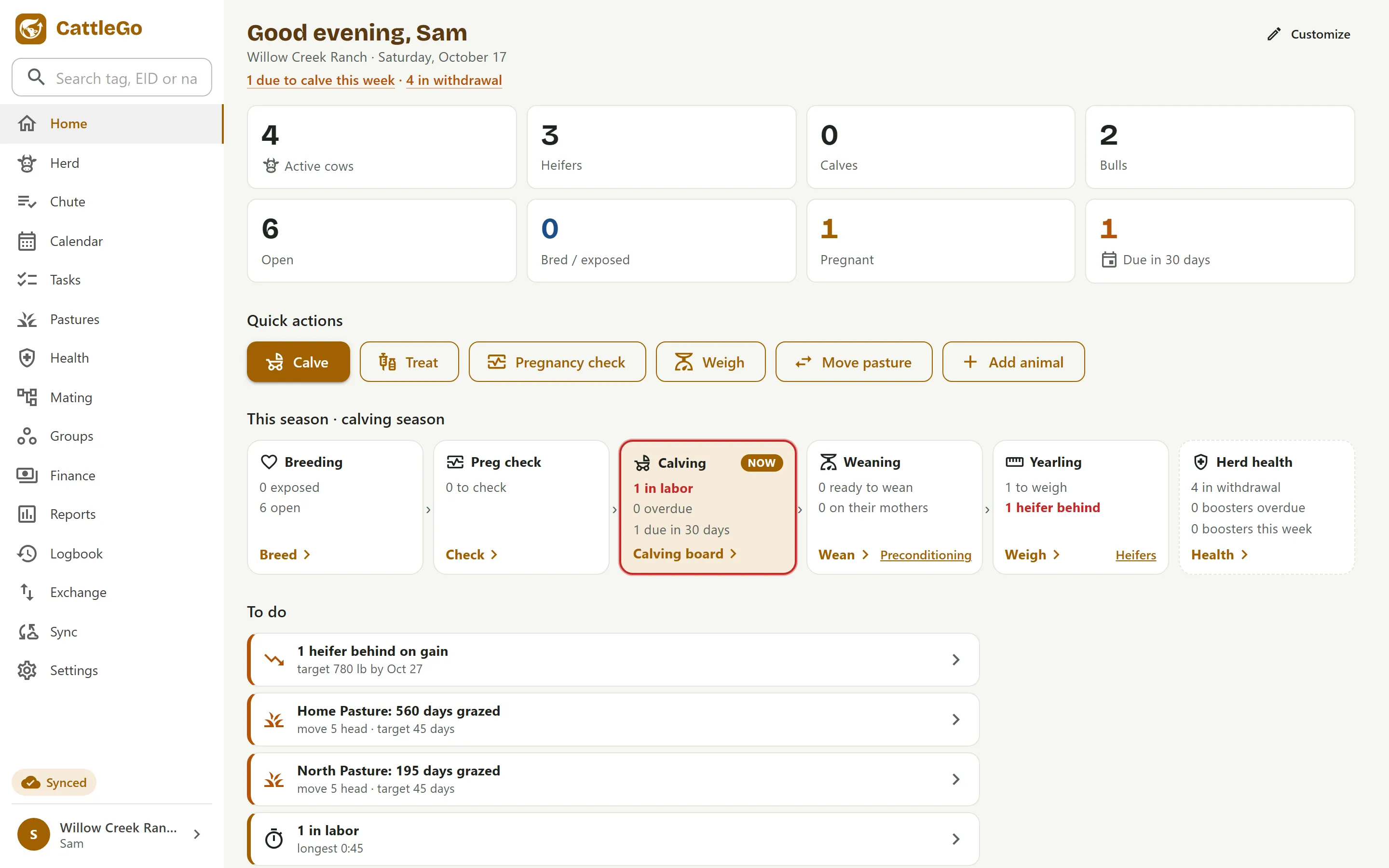
CattleGoSmarter Cow-Calf Management
QR code for the CattleGo app Scan with your phone's camera
Start free
NewConnect your EID reader and scale by Bluetooth or Wi‑Fi
Herd management for cow-calf ranches

Herd records that work at the chute, in the calving barn — even with no signal.

Record calvings, breedings, preg checks, treatments and weights on your phone as you work. Everything is there on the computer when you sit down to plan the season.

Free for herds up to 50 head No credit card Try it first with a sample herd
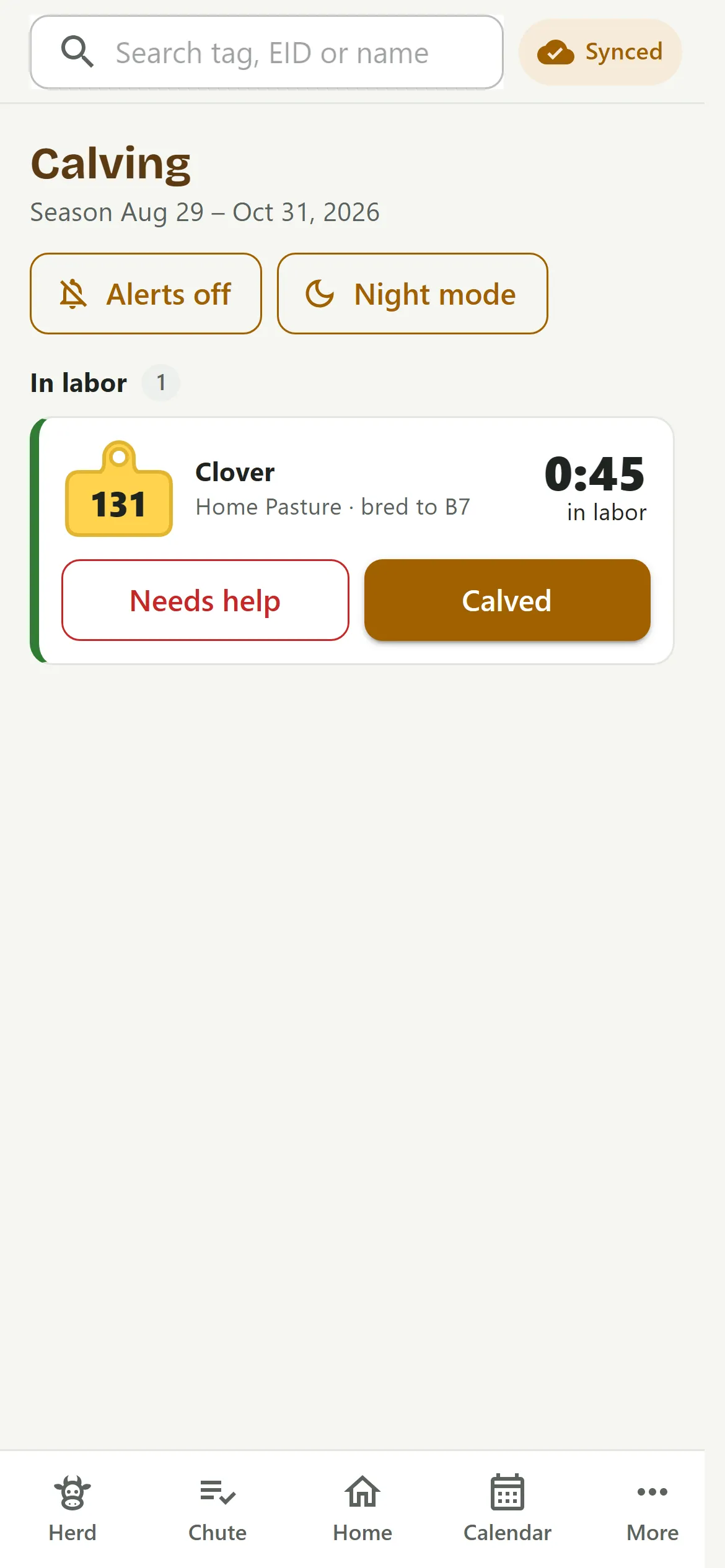
CattleGo on a phone: the calving board shows cow 131 in labor for 45 minutes, with Needs help and Calved buttons.
Works with no signalSaves on your phone, sends when you're back in range.
Phone, tablet and computerOne herd, the same records on every device.
EID readers and scalesBluetooth or Wi‑Fi, straight into the app.
From Feedlot SolutionsCattle software for operations across Canada and the U.S.
New · EID readers and scales

Scan the tag, read the weight. No typing at the chute.

Connect your EID reader and your scale to the CattleGo app by Bluetooth or Wi‑Fi. Scan a tag and the animal comes up; when it stands still, the weight goes in by itself.

  • Scan an EID and that animal opens, with a beep, so you never look away from the chute.
  • The live weight shows in big numbers and is taken once it holds steady.
  • Pair once. The app reconnects by itself next time, and keeps the screen on while you work.
  • Still works with no signal: the reader and scale talk to the phone, not the internet.

Works with Bluetooth readers and scales from Gallagher, Tru‑Test and Allflex, and with Gallagher TW scales over Wi‑Fi.

Which readers and scales →
How it works

Record a calving in a few taps

Filmed in the real app on a phone, with the sample herd.

  1. See who's calvingThe calving board shows which cows are in labor and for how long.
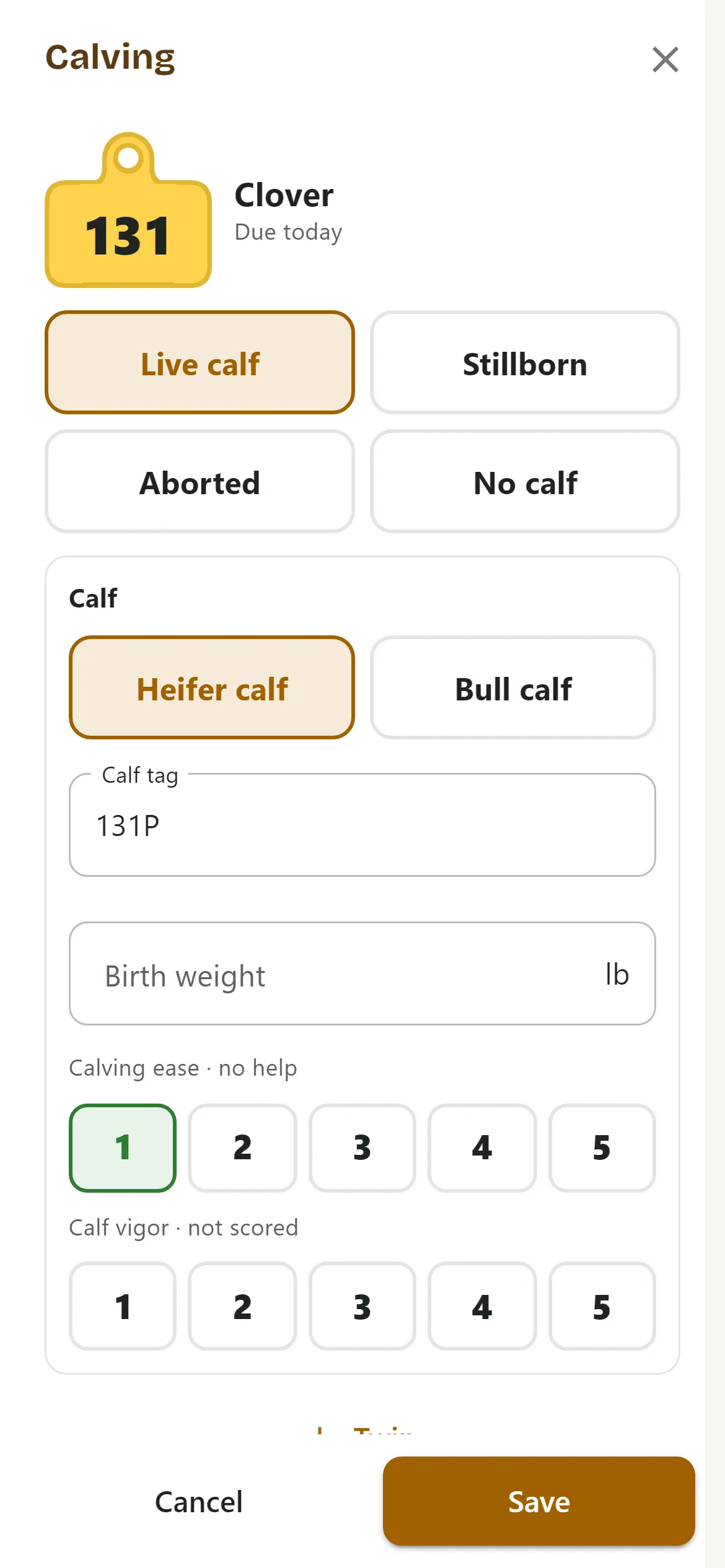
  2. Tap CalvedThe calf's tag, sire and dam are filled in. Choose heifer or bull calf.
  3. It's saved, signal or notThe record is on your phone right away and goes to the office when you're back in range.
  4. The calf has its own recordReady for its first weight, treatments and weaning.
More how-to videos
Built around the work

The busy days are where records get lost. That's where CattleGo starts.

The Calved form on a phone for cow 131: live calf, heifer calf, the calf's tag 131P filled in, birth weight, calving ease 1 to 5 and calf vigor.
The Calved form: tag filled in, birth weight, calving ease and vigor
Calving season

Know who's close, and record every calf before it's forgotten.

The problem
Night checks, notebooks in coat pockets, and calves that never make it into the records.
With CattleGo
See who's due, start a labor timer when she's in labor, and tap Calved when the calf is on the ground. At night, switch the board to night mode: dark, with big buttons.
You end up with
Every calf recorded with its dam, sire, birth date and weight, calving-ease notes for the cow, and how tight your calving was.
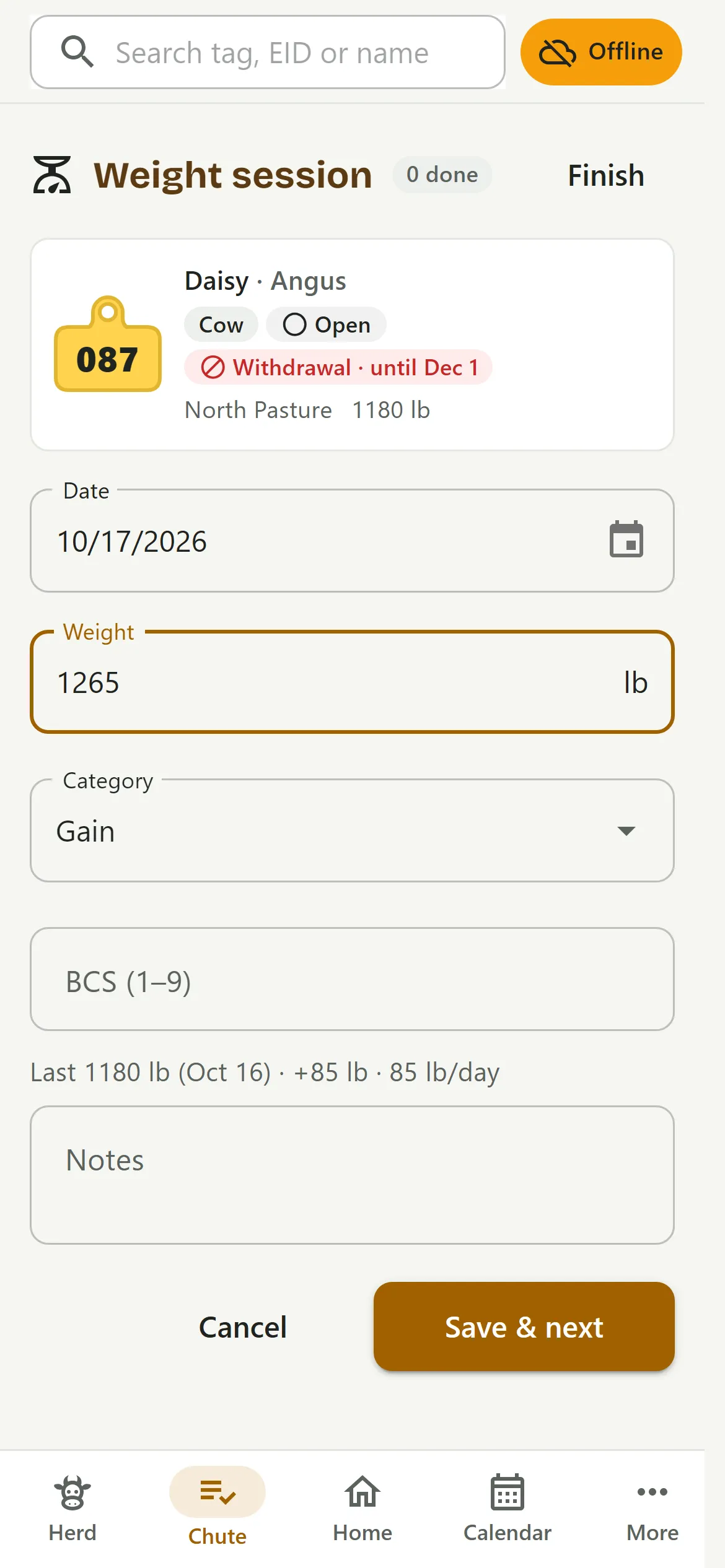
A weighing session on a phone: scan an EID or type a tag, enter the weight, and the animal moves to Done.
A weighing session at the chute
Chute day

Work the whole pen without stopping to write.

The problem
Treatments, weights and preg results written on a board and typed in later, or never.
With CattleGo
Start a session for treating, weighing or preg checking. Scan the EID with a Bluetooth reader or type the tag, let the connected scale fill in the weight, and move to the next animal.
You end up with
Each animal's record updated, withdrawal dates set, and a summary of the pen: head count, average weight and gain, how many are pregnant.
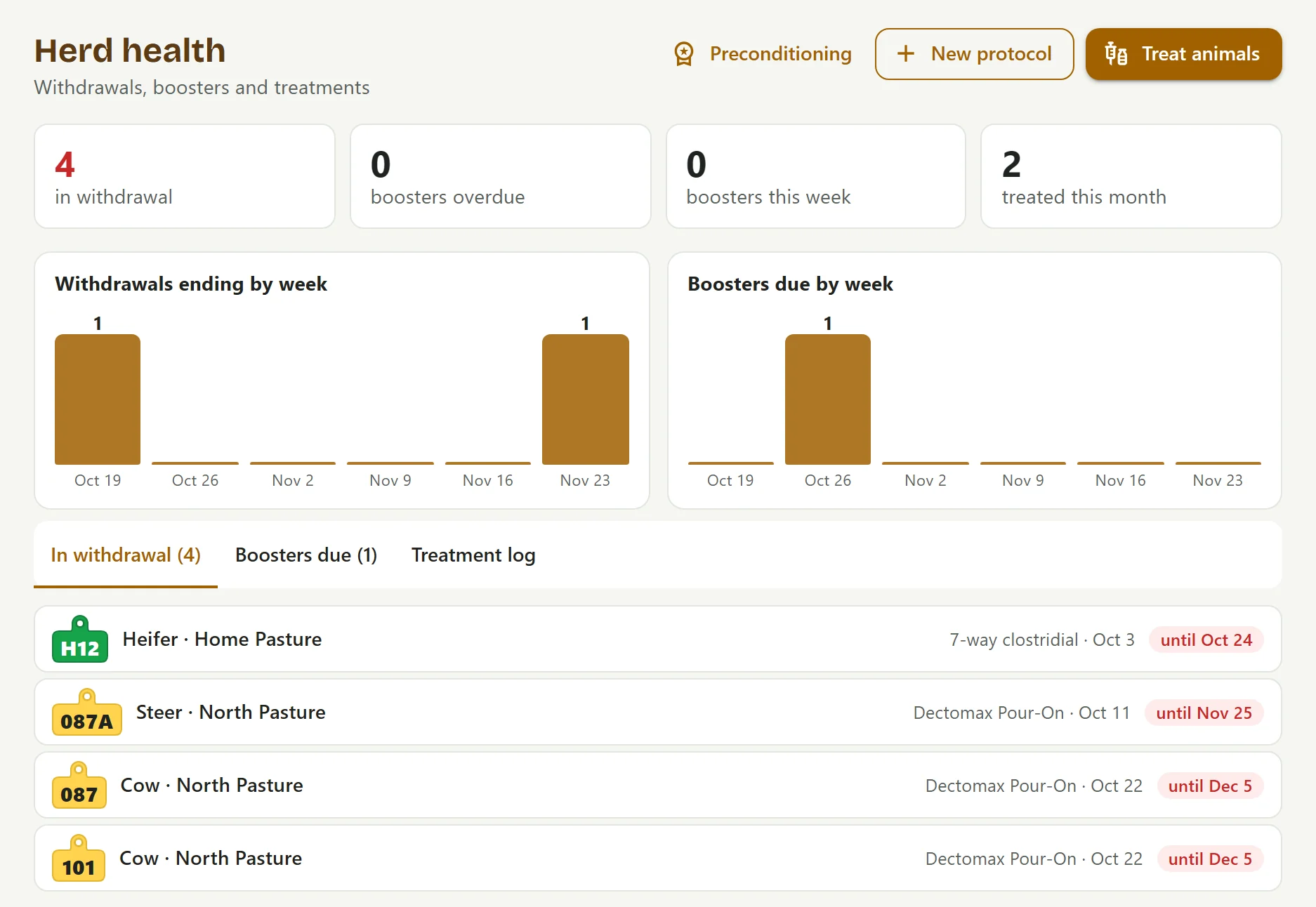
The herd health page: 4 animals in withdrawal, withdrawals ending and boosters due by week, and each animal's withdrawal end date.
Withdrawal and boosters, with the dates animals can ship
Weaning and sale

Have the weights, treatments and ship dates ready for the buyer.

The problem
Hunting for vaccination dates and withdrawal times the week calves are sold.
With CattleGo
Record weaning weights, pick the day the trailer comes to see who's clear to ship, and print each calf's vaccination and treatment record.
You end up with
Printed preconditioning records for buyers, adjusted 205-day weights, pounds weaned per cow exposed, and a file for a feedlot that uses FLS Cloud.
No signal at the chute?

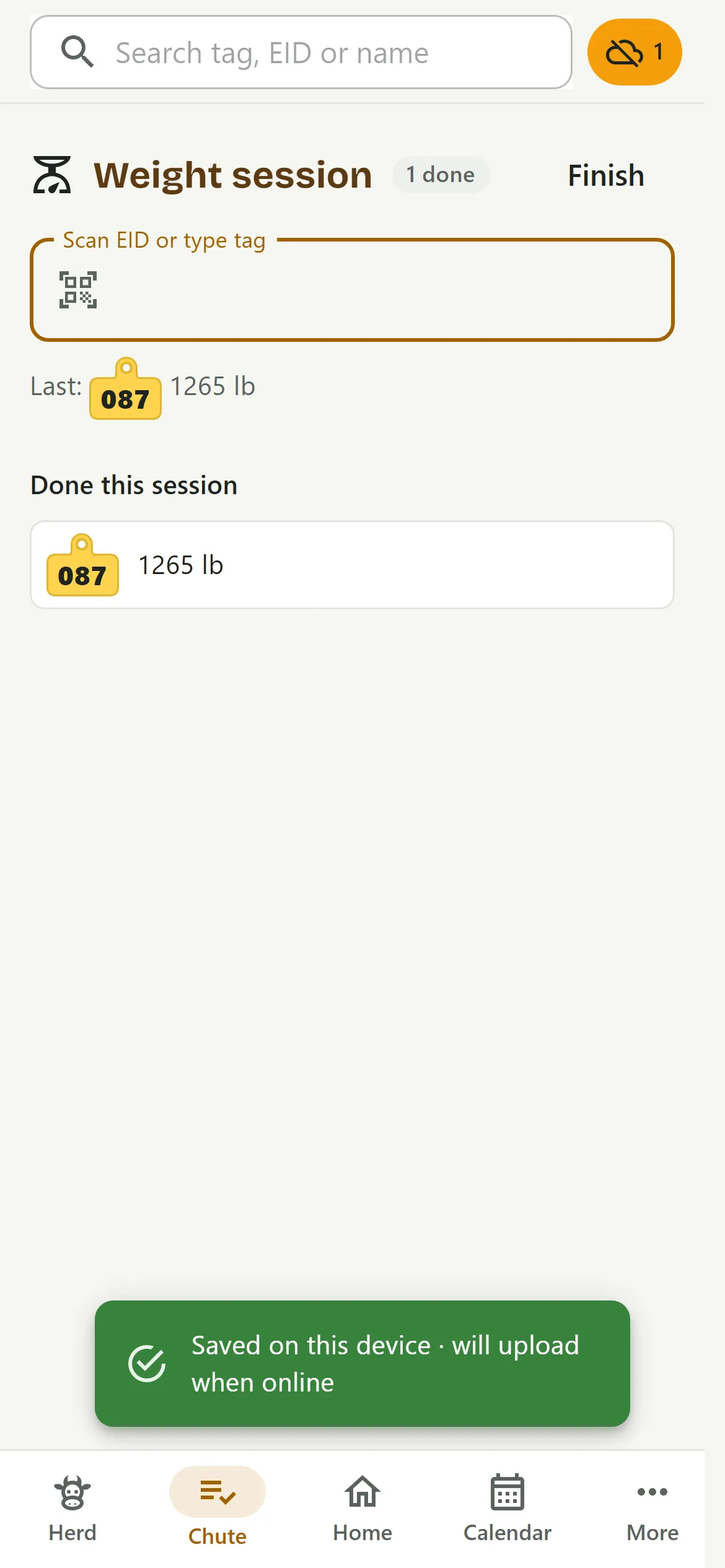
Keep working. CattleGo saves on the phone first.

Every record is saved on your device the moment you tap Save, and sent to your ranch's account when you're back in range with the app open.

  • The herd, its records and the forms are on the device, so pages open with no connection.
  • You always see how many records are waiting to upload.
  • Sign in once with a connection on each device to get started.
A weight recorded with no signal: the message reads Saved on this device, will upload when online, and the sync badge shows 1 waiting.
The production cycle: calving, breeding, preg check, weaning, sell or keep, then the next calving. Health, pastures, tasks and costs run all year. CalvingBreedingPregcheckWeaningSell orkeep ALL YEAR Health · Pastures Tasks · Costs
The whole cycle

Start wherever your herd is today.

Spring or fall calving, CattleGo follows your season, not a fixed calendar. Set when the bulls go in, and it lays out preg checks, calving, weaning and yearling weights for you.

CalvingDue dates, labor timers, every calf recorded.
BreedingNatural service or AI, sires and dates.
Preg checkResults and days bred, who's open.
WeaningWeights, adjusted 205-day weights and ratios.
Sell or keepSale records, replacement heifers on target.
All yearTreatments and withdrawal, pasture moves, tasks, costs.
For purebred and seedstock herds

Check a bull against your cows' pedigrees before breeding season.

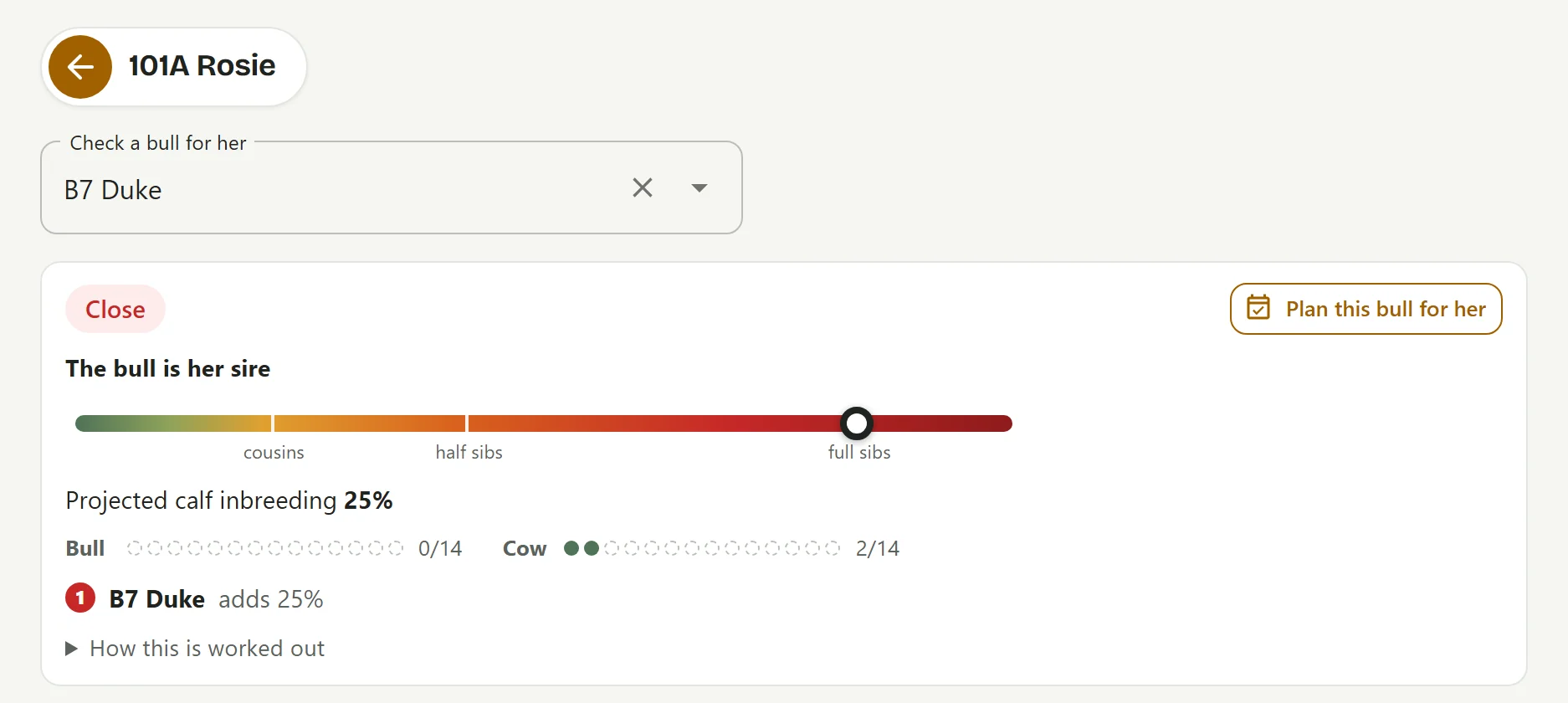
CattleGo draws three generations and shows the ancestors a bull and a cow have in common, with the projected inbreeding of their calf, worked out from the pedigrees you've recorded. You make the call.

See pedigree and mating features →
A mating check: the bull is the heifer's sire, marked Close, with 25 percent projected inbreeding and the shared ancestor highlighted in the pedigree.
Questions

Before you start

Something else? Ask us, a person will answer.

Is it really free?

Yes, for herds up to 50 head, with no credit card. Larger herds pay a simple yearly price by herd size: see pricing.

What happens when there's no signal?

Keep working. Records are saved on your phone or tablet as you go and sent to your account when you're back in range with the app open. You need a connection the first time you sign in on a device.

What devices does it work on?

Any recent phone, tablet or computer. Get the app for iPhone and iPad or Android, or use it in any web browser.

Can I use my EID reader and scale?

Yes. In the CattleGo app for iPhone and Android, connect Bluetooth EID readers and scales from Gallagher, Tru‑Test and Allflex, and Gallagher TW scales over Wi‑Fi. Readers set to keyboard mode also work on a computer, and scale records can still be imported from a CSV file. See which devices.

I already keep records in other software or spreadsheets.

Contact us and we'll help bring your existing records over, so you can start with your herd's history instead of an empty list.

Who can see my herd's records?

Only the people you add to your ranch. Each ranch's records are kept separate from every other ranch's. See our privacy policy.

Try it with a sample herd today.

Sign up in a minute and walk through a calving, a chute day and a weaning with sample cattle, then add your own herd.